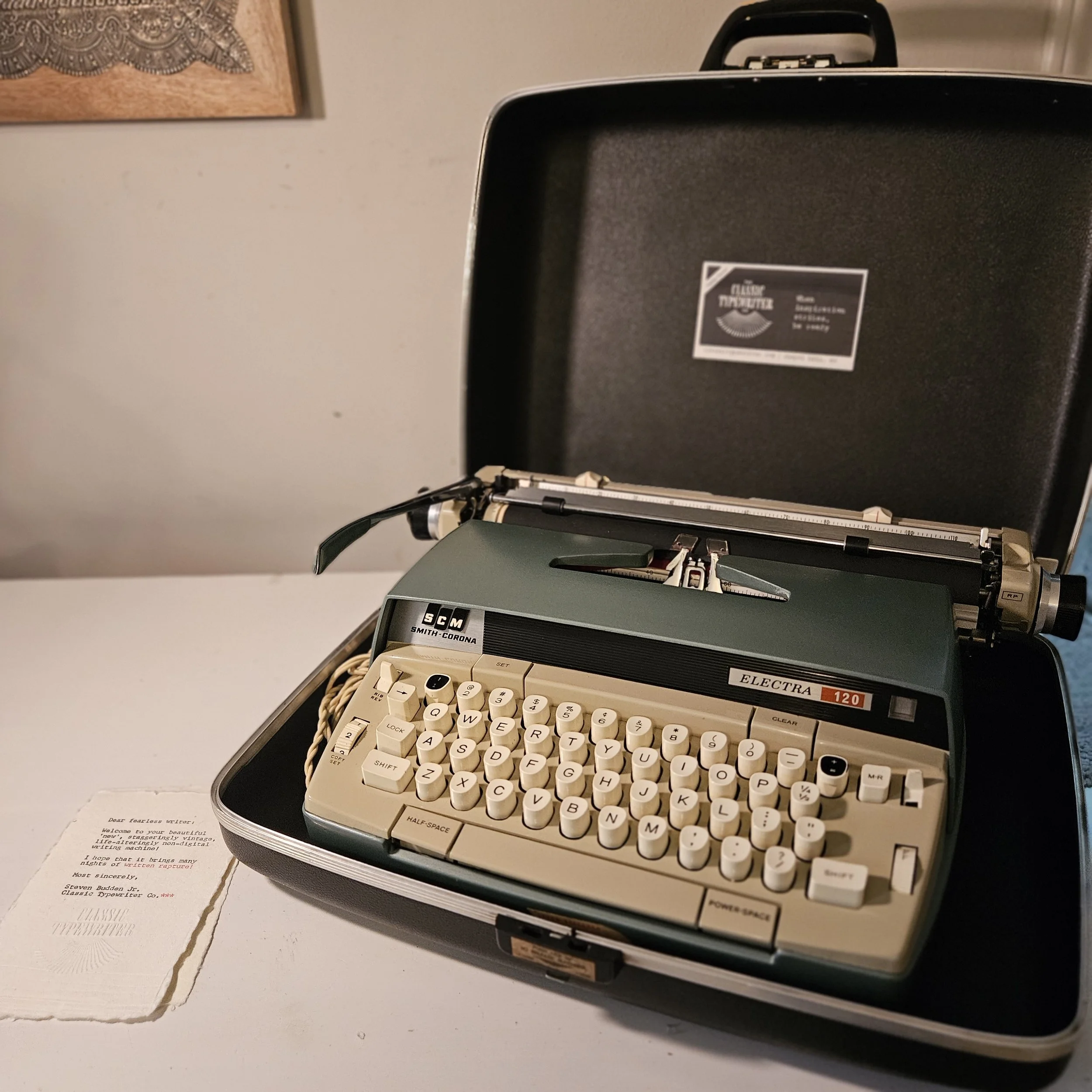
Smith Corona Electra 120 Electric Typewriter
Electra 120 Typewriter Video Tutorial
About the Electra 120 Typewriter by Smith Corona
YOUR SMITH CORONA ELECTRA 12
A Guide to Your Machine
Welcome to the electric typewriter world. Watch the video tutorial above first, then keep this page as your reference.
***
ELECTRA 12 HISTORY
Smith Corona was born from two great American typewriter makers. L.C. Smith & Bros. built office machines, and Corona built portables. In 1926 they joined forces.
After World War II, offices and writers wanted to type faster. Smith Corona answered with electric office typewriters in 1955.
In 1957, they brought the electric motor to the portable.
Designer Joseph Barkdoll didn't reinvent the wheel. He kept the proven Corona typing mechanism, the same bones as Smith Corona's beloved manuals, and added a motor to do the heavy lifting.
The Electra 12 followed: the same electric portable with a wide 12 inch carriage. Smith Corona saw offices adopting their electric portables, and the wide carriage made the machine ready for ledgers, forms, and landscape pages.
These were built in the late 1950s into the early 1960s, in the USA, during the golden age of American typewriter making.
The Electra line found its way into serious writing rooms. Robert Caro, the two-time Pulitzer Prize-winning biographer of Lyndon Johnson and Robert Moses, has written his books on a Smith Corona Electra 210, a sibling of the Electra 12.
***
WHAT MAKES YOUR ELECTRA 12 SPECIAL
Light, even keystroke - the motor strikes every letter with the same force
Easy on the hands - ideal for tired, injured, or arthritic fingers
Wide 12 inch carriage - landscape pages, ledgers, and envelopes
True typewriter feel - it sounds and moves like a typewriter, not a computer
Built from the same proven mechanism as Smith Corona's classic manuals
***
GETTING STARTED
1. Set it on a sturdy, flat surface. A desk or table that doesn't wobble.
2. Plug it into a standard US outlet.
3. Turn it on. The power switch is the dial to the right. You'll hear a steady hum. That's the motor, and it's normal. It runs the whole time the machine is on.
4. Load your paper. Pull the paper release lever forward, slide your sheet behind the platen (the black roller), push the lever back, and turn the knob to roll the paper into place.
5. Set your margins. [Describe margin set method for this model.]
6. Choose your line spacing with the line spacing lever: 1, 1.5, or 2.
7. Start typing. Use a LIGHT touch. The motor does the work. You just tap.
8. Carriage return: [powered return key / push the carriage return lever].
9. Listen for the bell. It rings a few characters before your right margin, so you know to finish the word and return.
***
THE #1 TIP FOR NEW ELECTRIC TYPISTS
Don't rest your fingers on the keys. Electric keys trip with very little pressure, so resting fingers can type letters you didn't mean to. Hover, tap, release.
If you're coming from a manual, this takes a day or two. After that, it's bliss.
***
CHANGING THE RIBBON
Your Electra 12 takes a standard 1/2 inch universal spool ribbon. We sell these.
1. Turn the machine off and unplug it.
2. Lift the top cover.
3. Note how the old ribbon threads through the ribbon guides and the vibrator (the small fork in front of the platen).
4. Remove the old spools. (If you want to transfer your plastic spooled ribbon to vintage metal ones, load one side and wind it up with your finger). Or…
5. Place the new spools on the spool posts, thread the ribbon the same way, and make sure it runs through the vibrator.
6. Close the cover and type a test line.
The video tutorial walks through this step by step.
***
CARE & MAINTENANCE
Turn it off when you're not typing. The motor runs as long as the power is on. IT can burn out if left on for days.
Unplug it when not in use for long periods.
Keep it covered or cased to keep out dust.
Brush the typeface clean with a stiff brush when letters fill in (e, o, a fill first).
Keep it out of humid rooms, garages, and attics.
Never oil it yourself. Oil attracts dust and gums up the works. If something feels sluggish, contact us.
Move it by the frame, never by the carriage.
***
TROUBLESHOOTING
Letters typing twice or by themselves: lighten your touch and keep fingers off the keys between strokes.
Won't turn on: check the outlet and that the plug is fully seated.
Faint type: the ribbon is wearing out. Time for a new one.
Ribbon not advancing: check that it's threaded correctly through the guides and the vibrator.
Anything else: email us. That's what we're here for.
***
QUESTIONS?
Your machine comes with our working guarantee, warranty, and lifetime trade-in policy. If anything isn't right, I want to know.
📧 Email: steven@classictypewriter.com
HERE is the manual for your machine.
Write on,
Steven Budden Jr.
Classic Typewriter Co.
Chapel Hill, North Carolina
classictypewriter.com